Upgrade to an Organisation
Upgrade to an Organisation
Before you can create workstation templates, you must first upgrade your account to an Organisation.
This process unlocks organisation-level features such as template creation and team management.
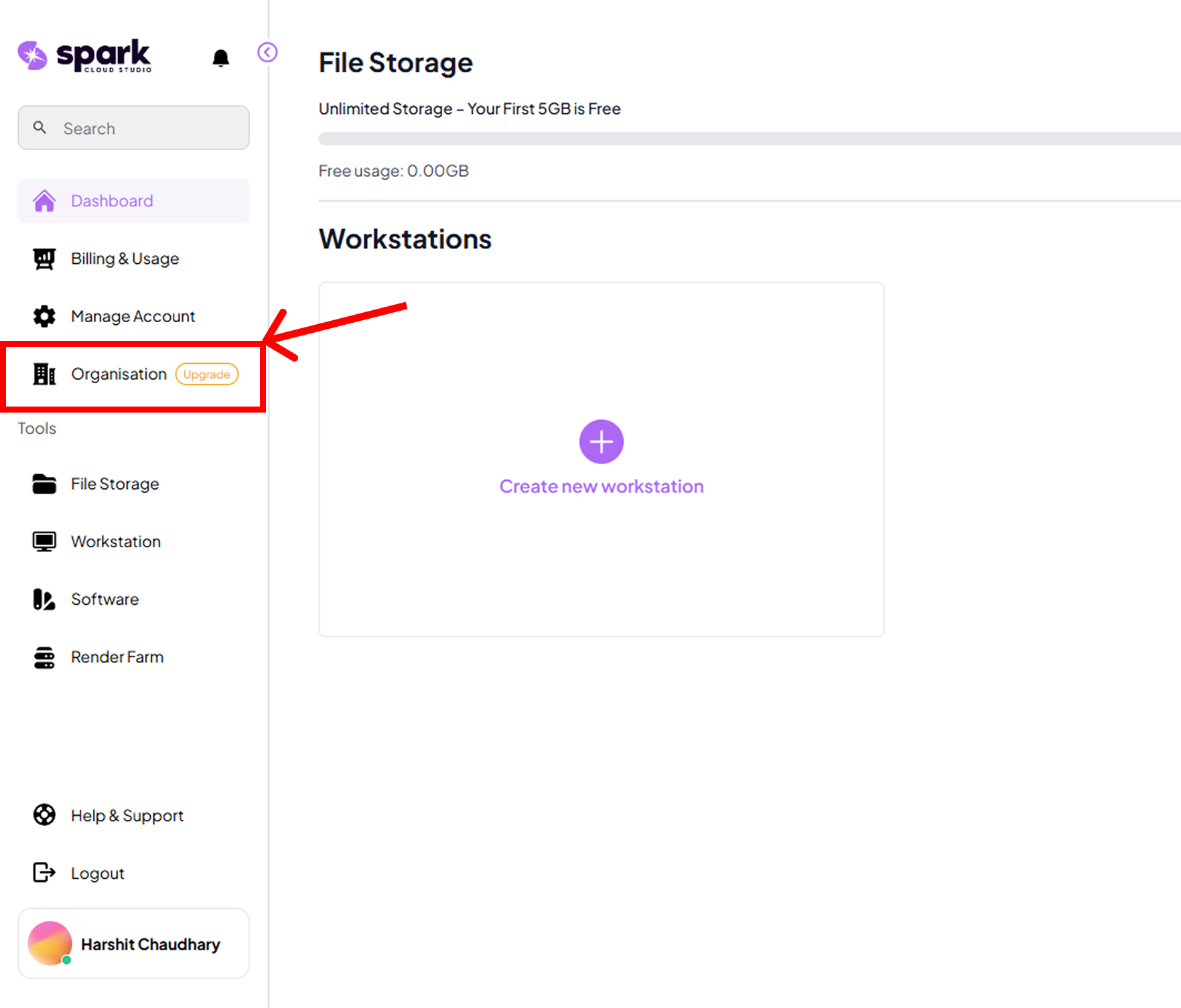
Step 1: Go to the Organisation Tab
- From your SparkCloud Studio dashboard, open the Organisation tab.
- This section contains all organisation-level controls and settings.
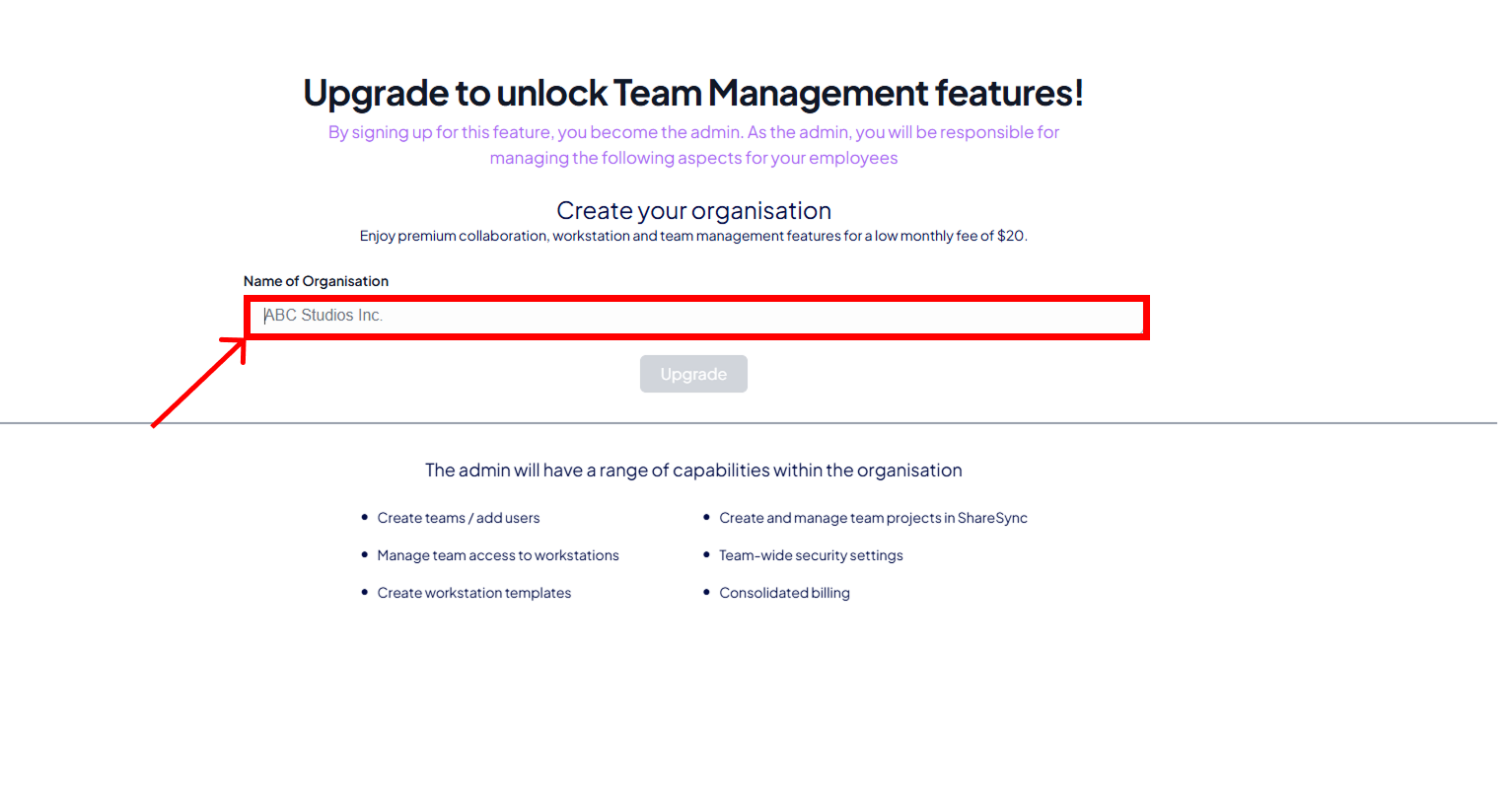
Step 2: Enter Organisation Name
- Type in your organisation’s name in the input field provided.
- This name will be used to identify your organisation across SparkCloud Studio.
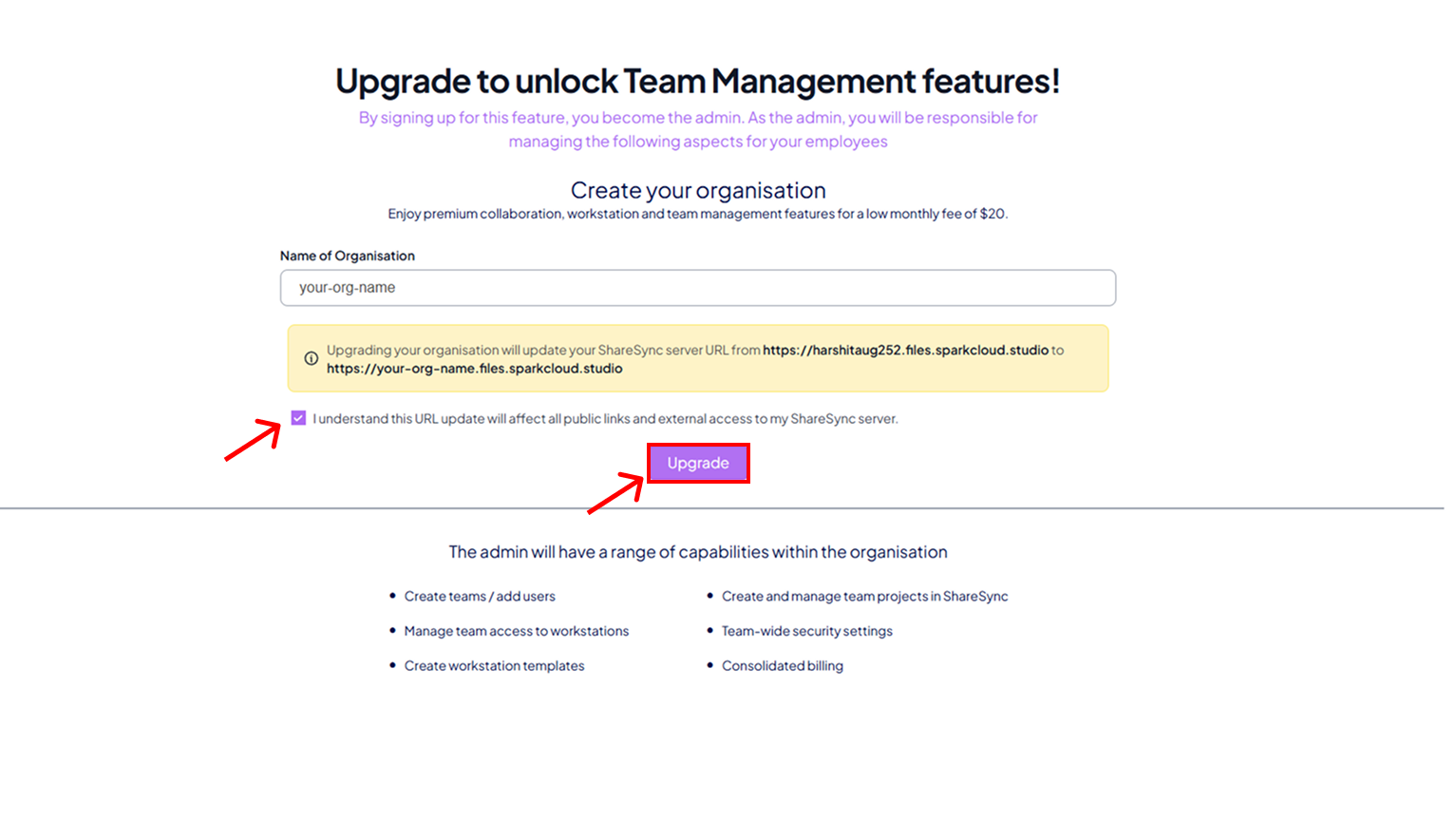
Step 3: Confirm and Upgrade
- Check the confirmation box to verify your details.
- Click the Upgrade button to convert your personal account into an organisation account.
- This unlocks features such as shared workstation templates.
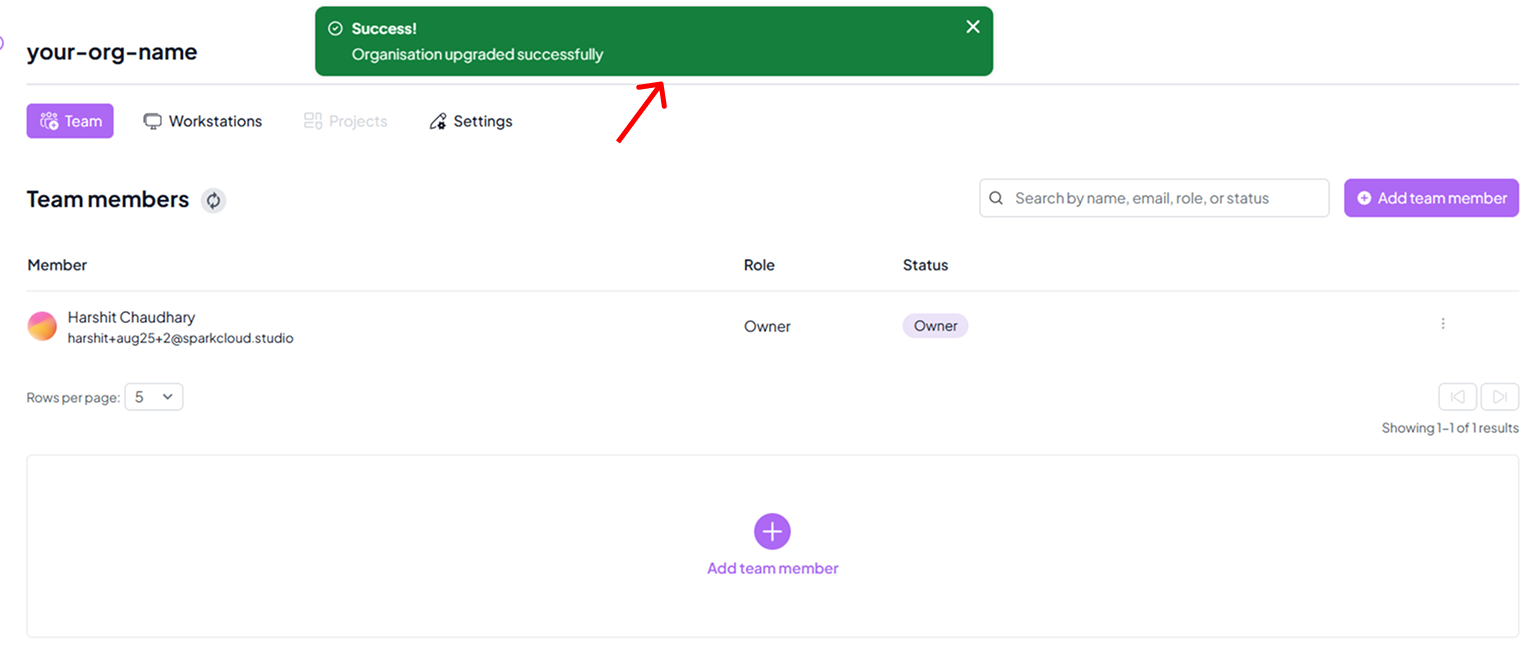
Step 4: Successful Upgrade Confirmation
- Once the upgrade is successful, a green confirmation popup will appear.
- You can now create workstation templates and manage them under your organisation.