Upgrading To Organisation
Setting Up Your Organisation
Unlock Spark Organisation with these simple steps:
Step 1: Open Organisation Sidebar
Click “Organisation” in the sidebar.
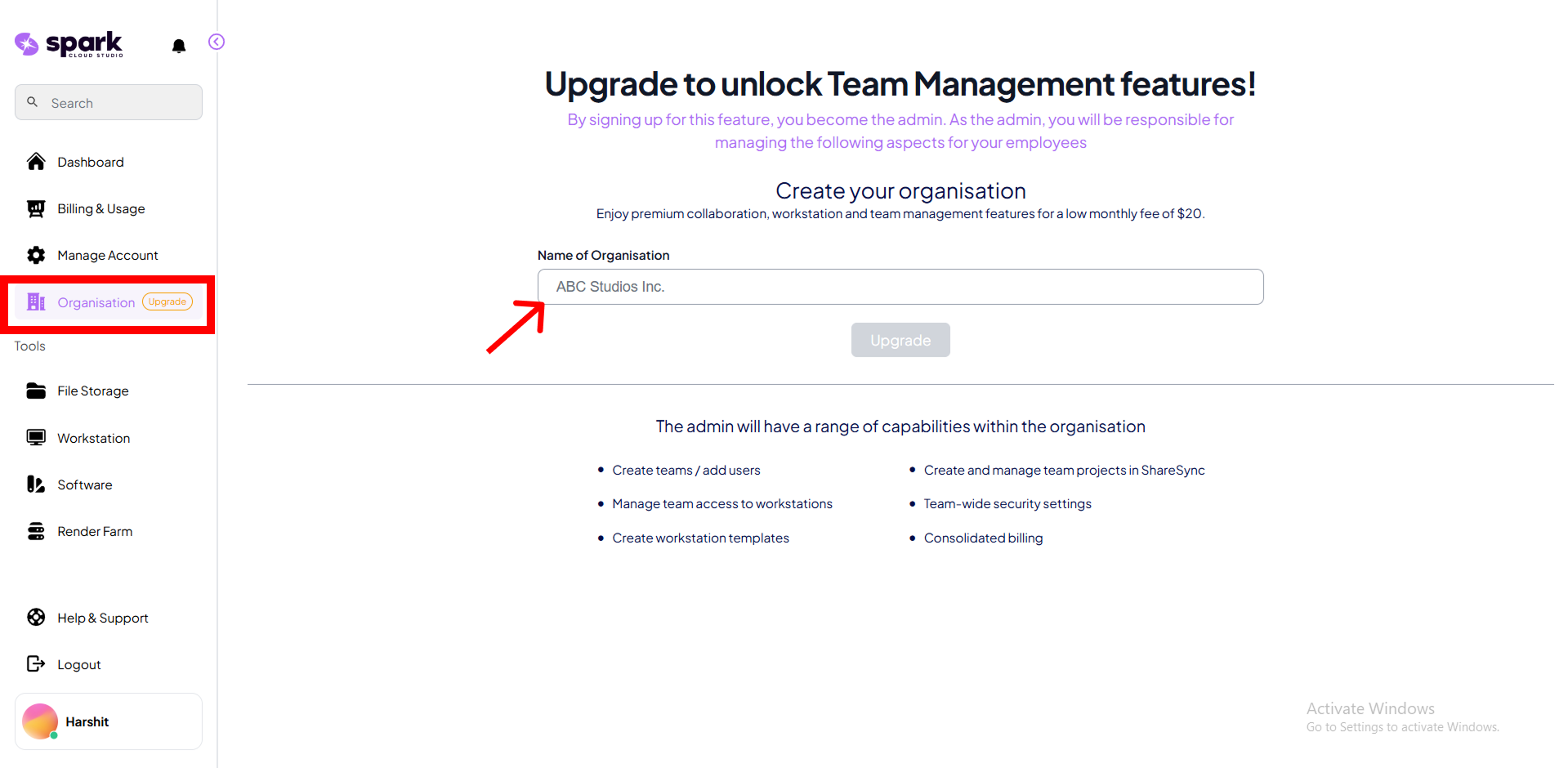
Step 2: Upgrade to Organisation
Enter your Organisation Name and accept the billing terms ($20.00). Then click on the Upgrade button.
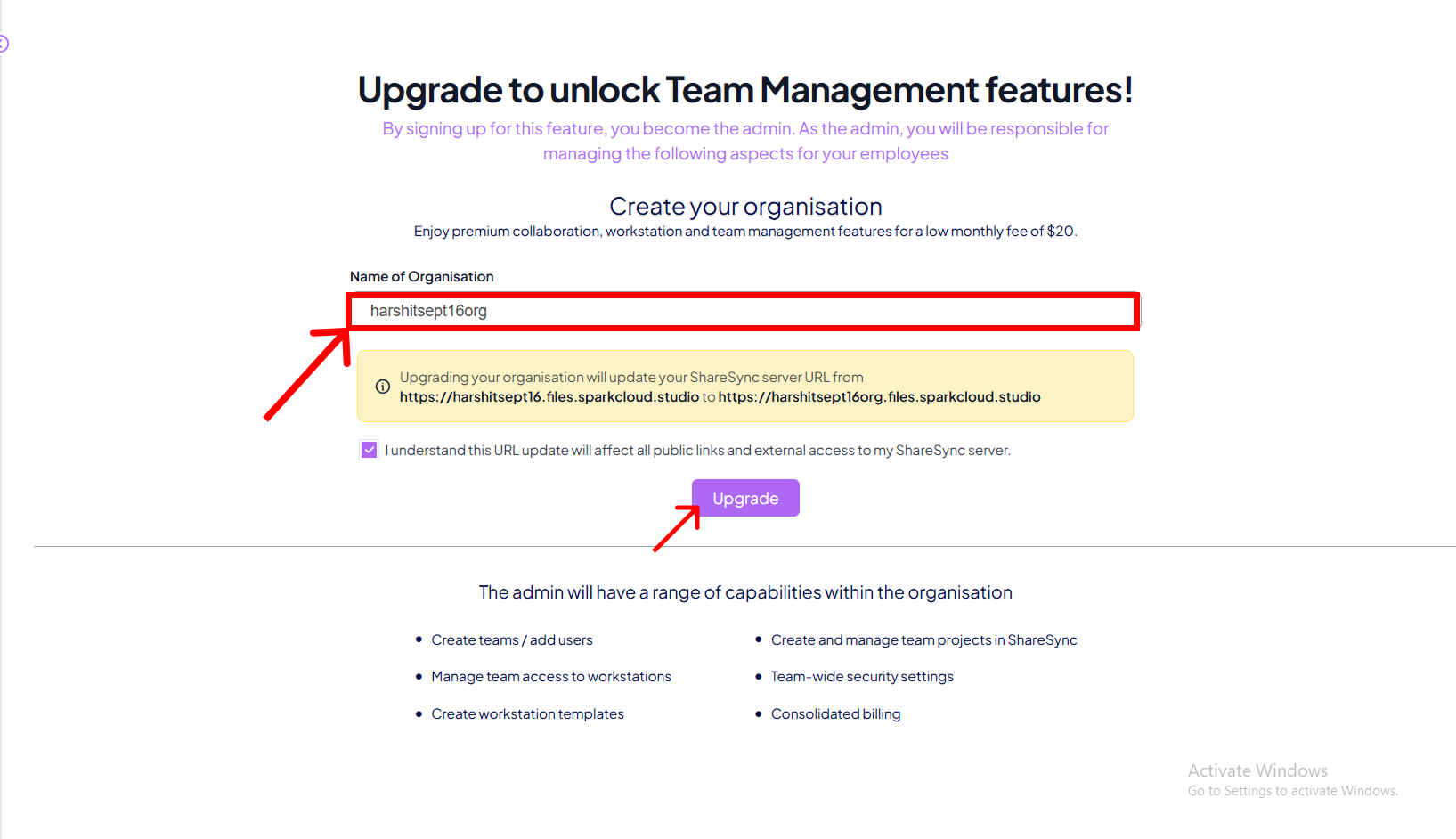

Upgrading to organisation automatically changes your ShareSync domain, e.g., from yourname.files.sparkcloud.studio to your-org-name.files.sparkcloud.studio. Any shared public links will break unless updated manually.
Step 3: Confirm Upgrade
Confirm, and your organisation dashboard will unlock with all management tools.
