Delete a Workstation Template
Delete a Workstation Template
Templates can be deleted if they are no longer needed.
This helps keep your organisation’s list of templates clean and organised.

Deleting a template is permanent. Once deleted, all associated configurations and settings will be lost and cannot be recovered.
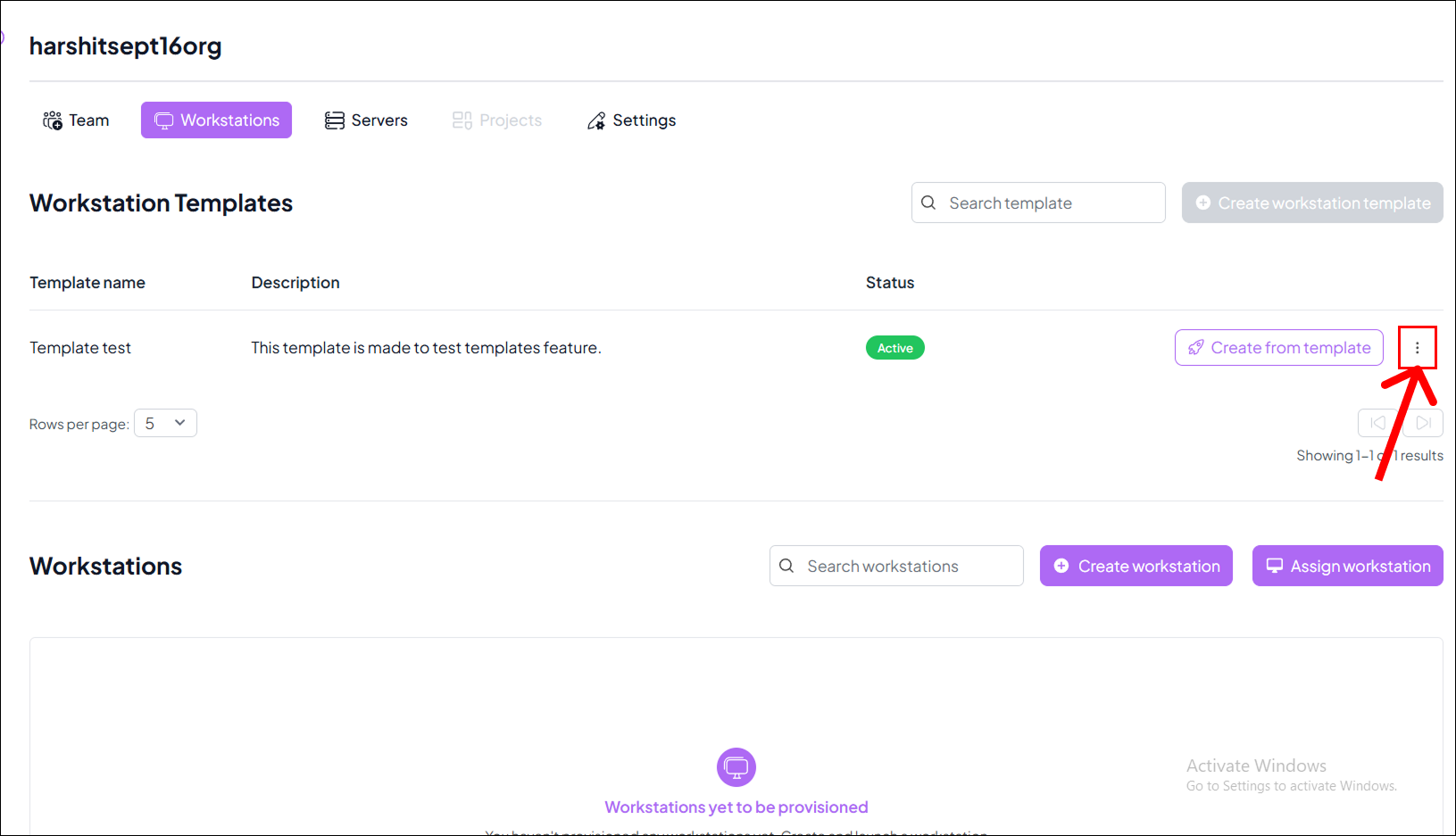
Step 1: Open the Template Options
- Locate the template you want to remove from the templates list.
- Click on the
⋮on the right side of the template box.
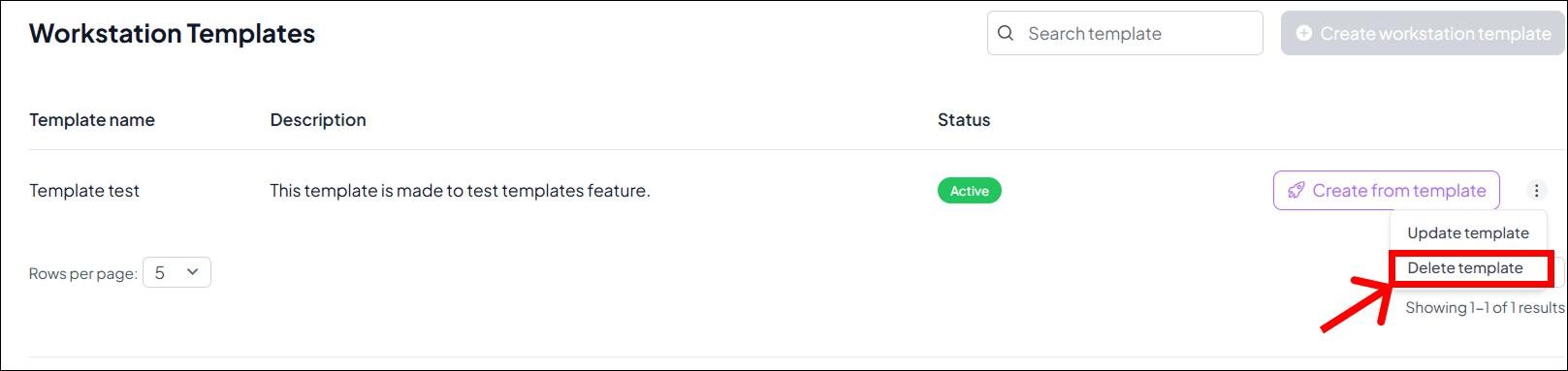
Step 2: Select Delete Template
- From the dropdown menu, click the Delete Template option.
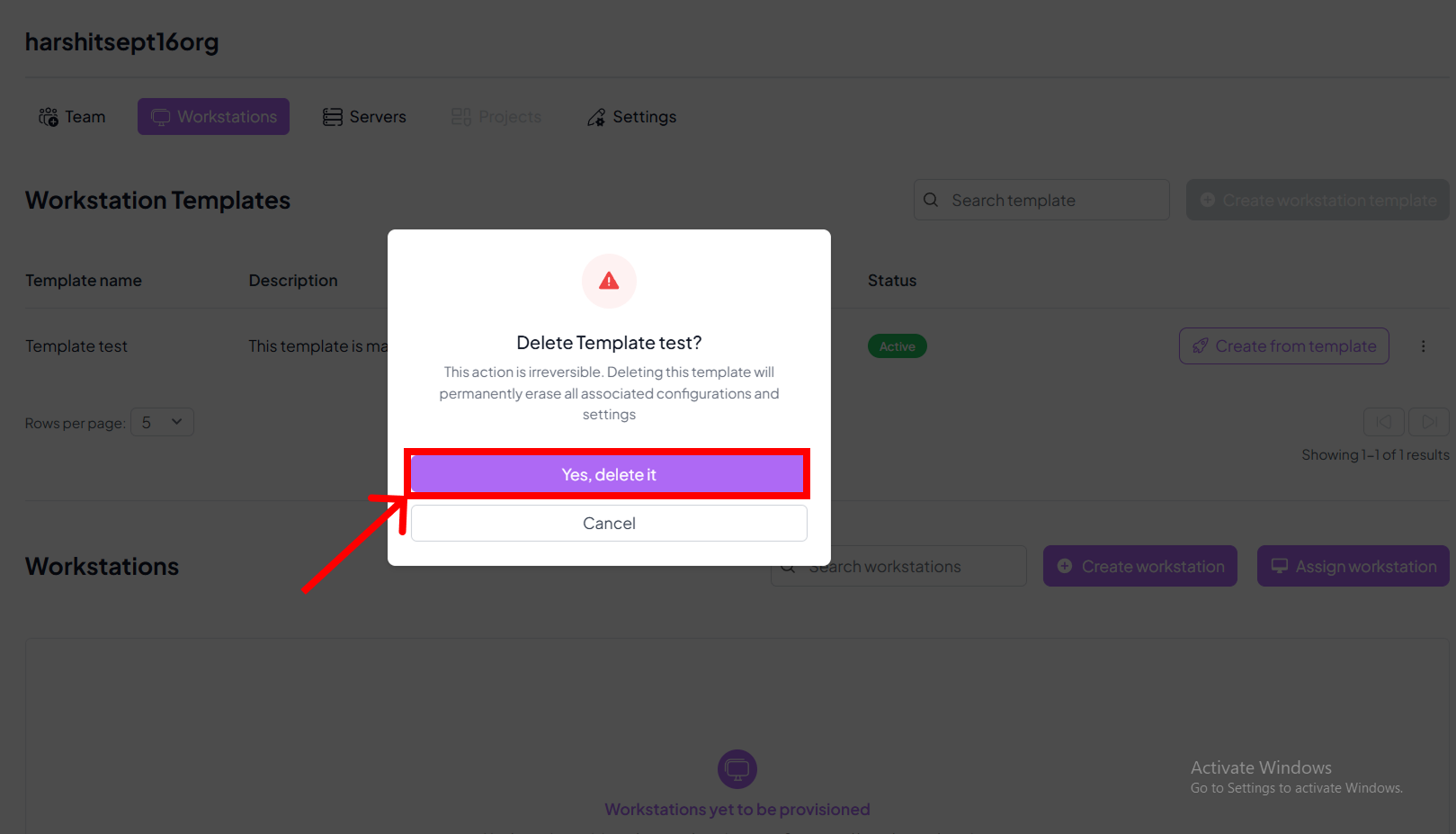
Step 3: Confirm Deletion
- A confirmation dialog will appear.
- Click Yes, Delete it to confirm the deletion.
This action is irreversible. Deleting a template will permanently erase all associated configurations and settings.
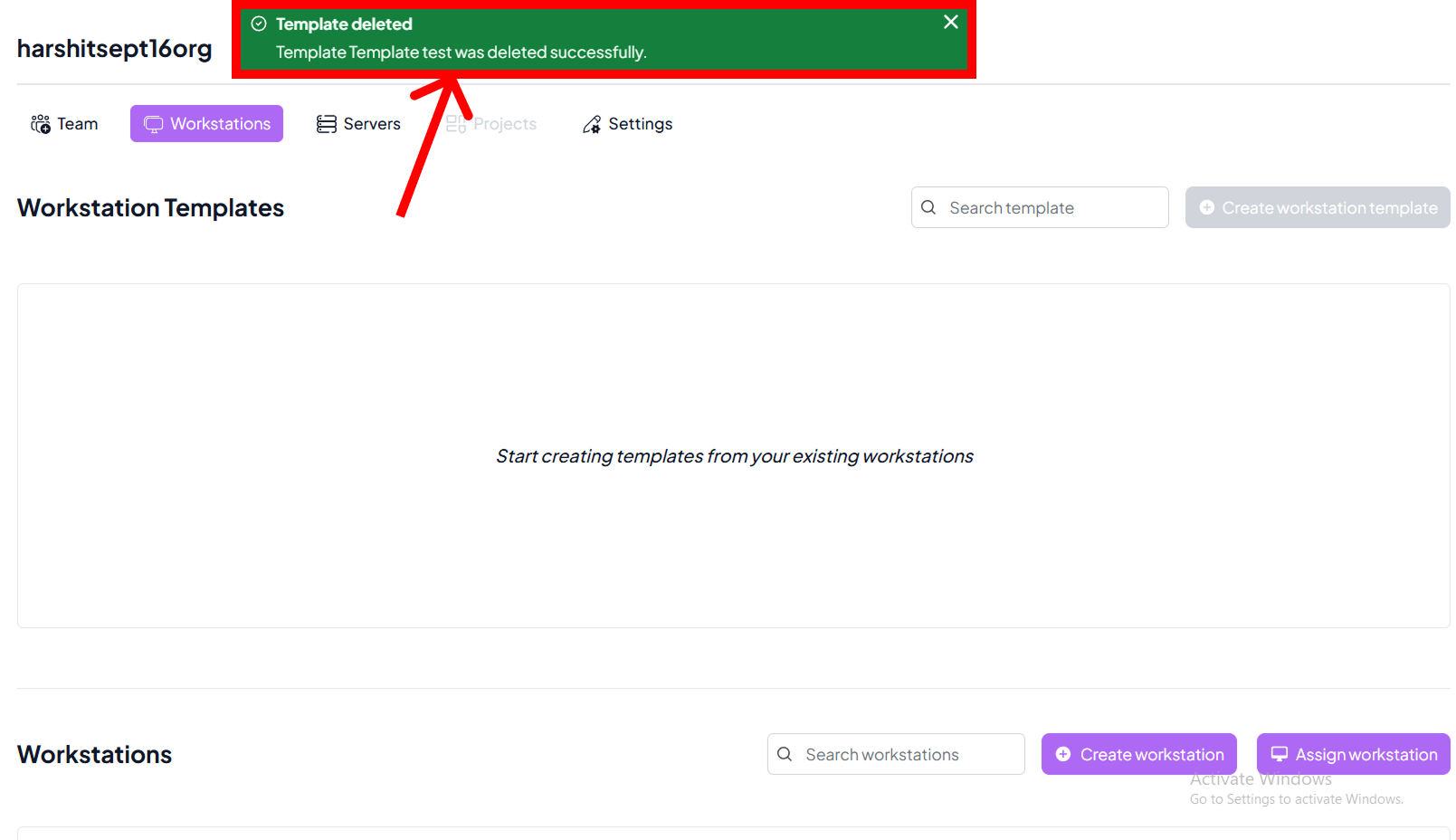
Step 4: Successful Deletion
- On successful deletion, a green dialog box will appear confirming the template has been removed.
- The template will no longer be available in your organisation’s template list.