Setting Up a Server
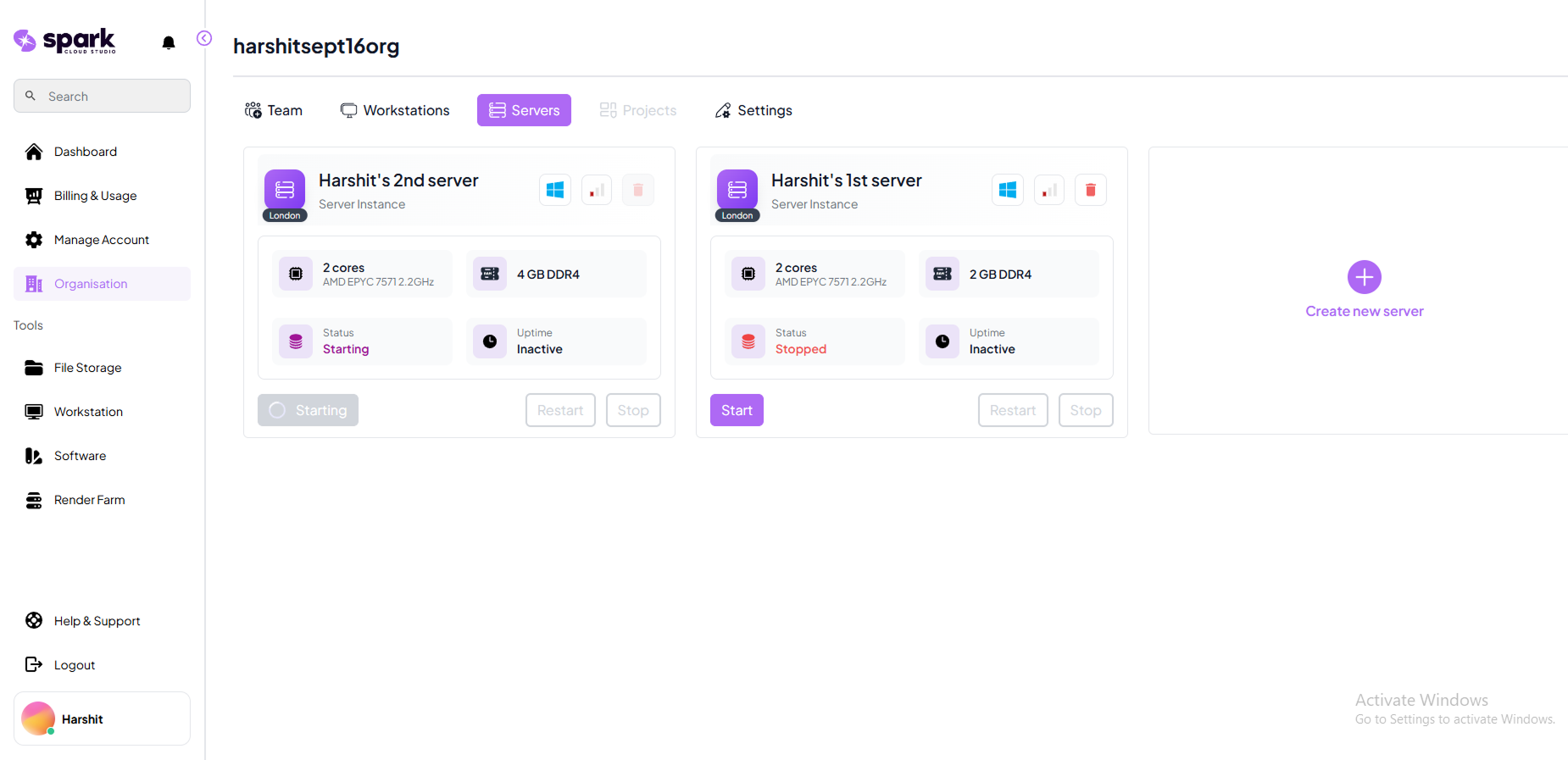
Follow these steps to provision and configure your first server.
Steps to Set Up a Server
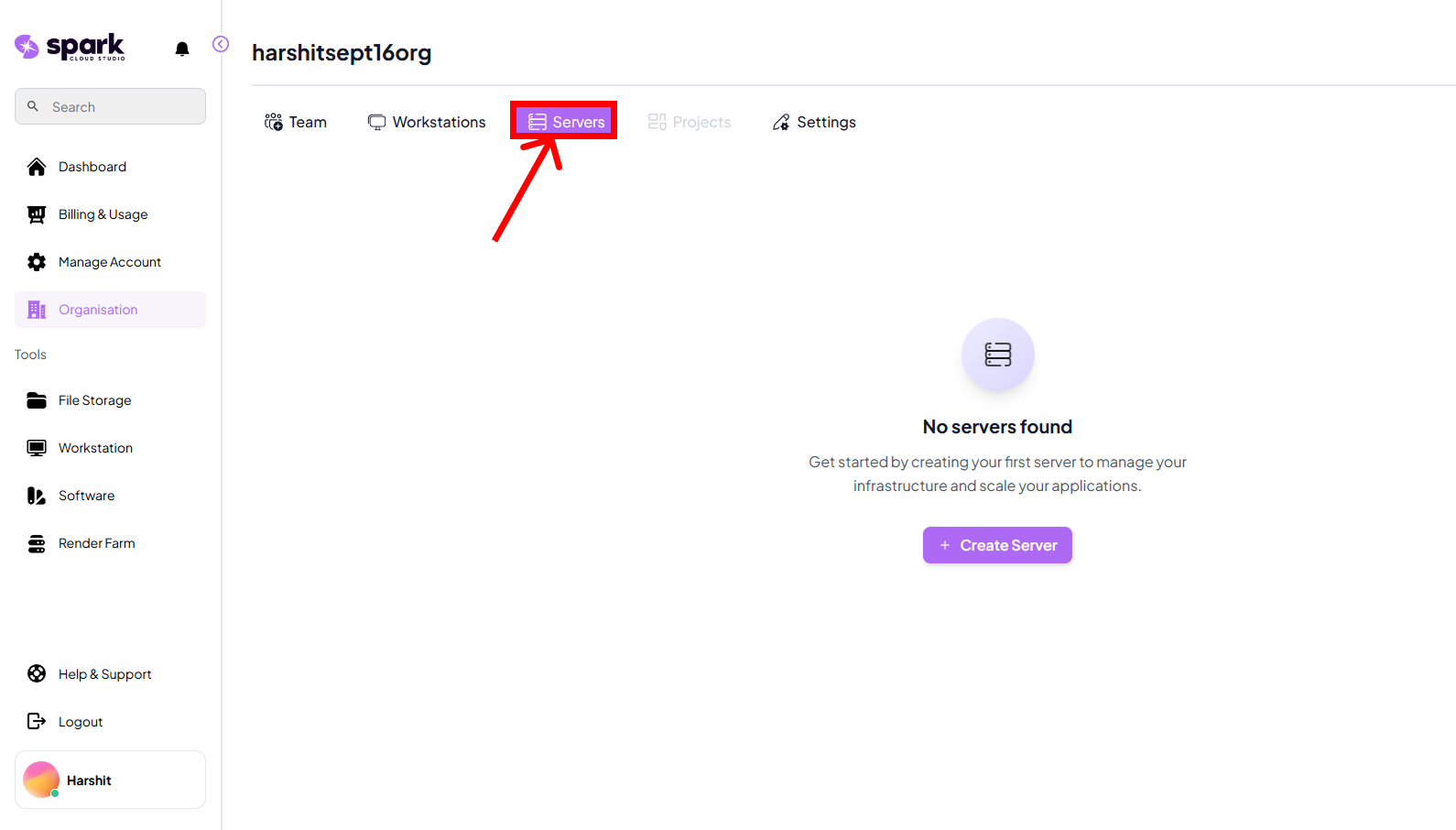
Step 1: Go to Servers Tab
Navigate to the Servers tab from the main dashboard.
This is where you can view existing servers and create new ones.
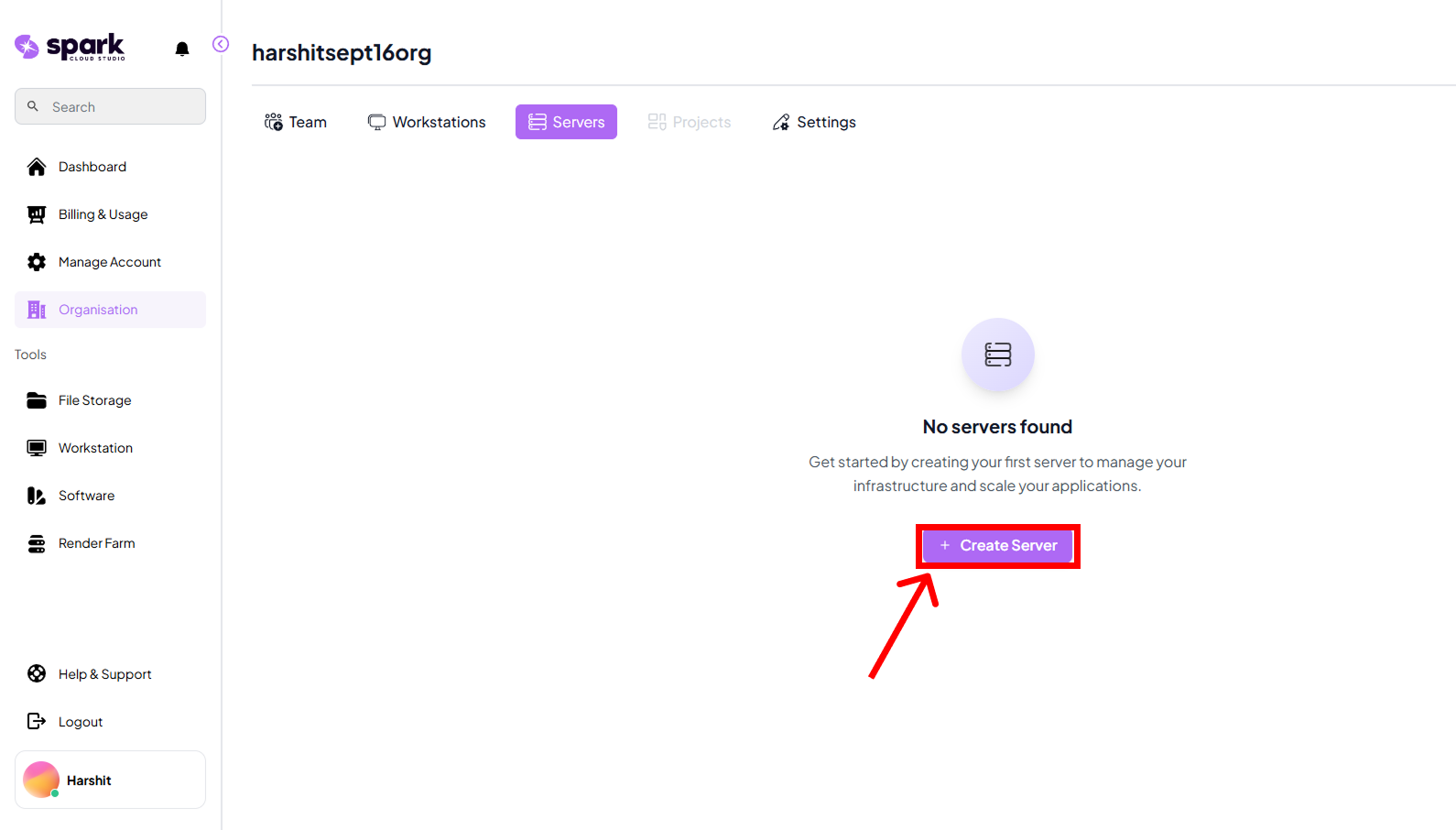
Step 2: Click on Create New Server
Select the Create New Server button to begin the setup process.
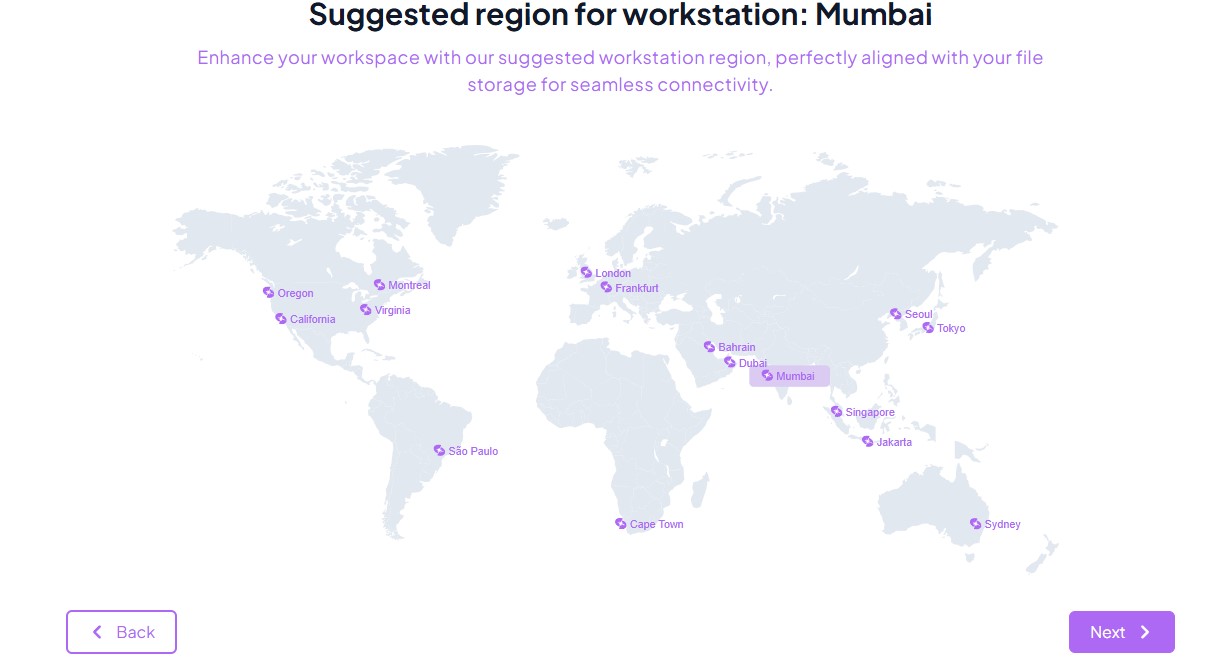
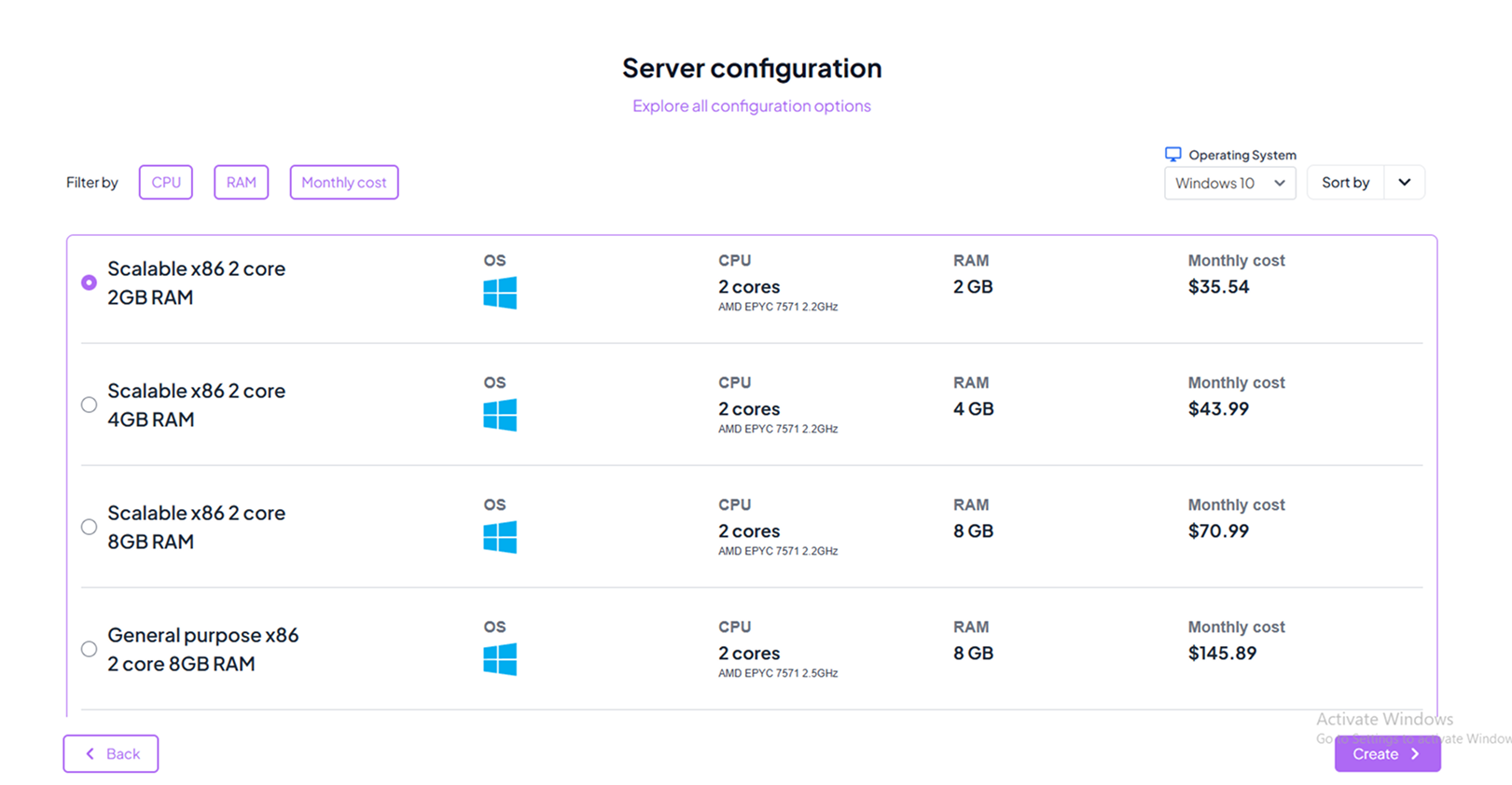
Step 3: Select Region and Configuration
Choose the server region and configuration that best fits your workload.
Regions determine latency, while configuration sets memory, CPU, and storage.
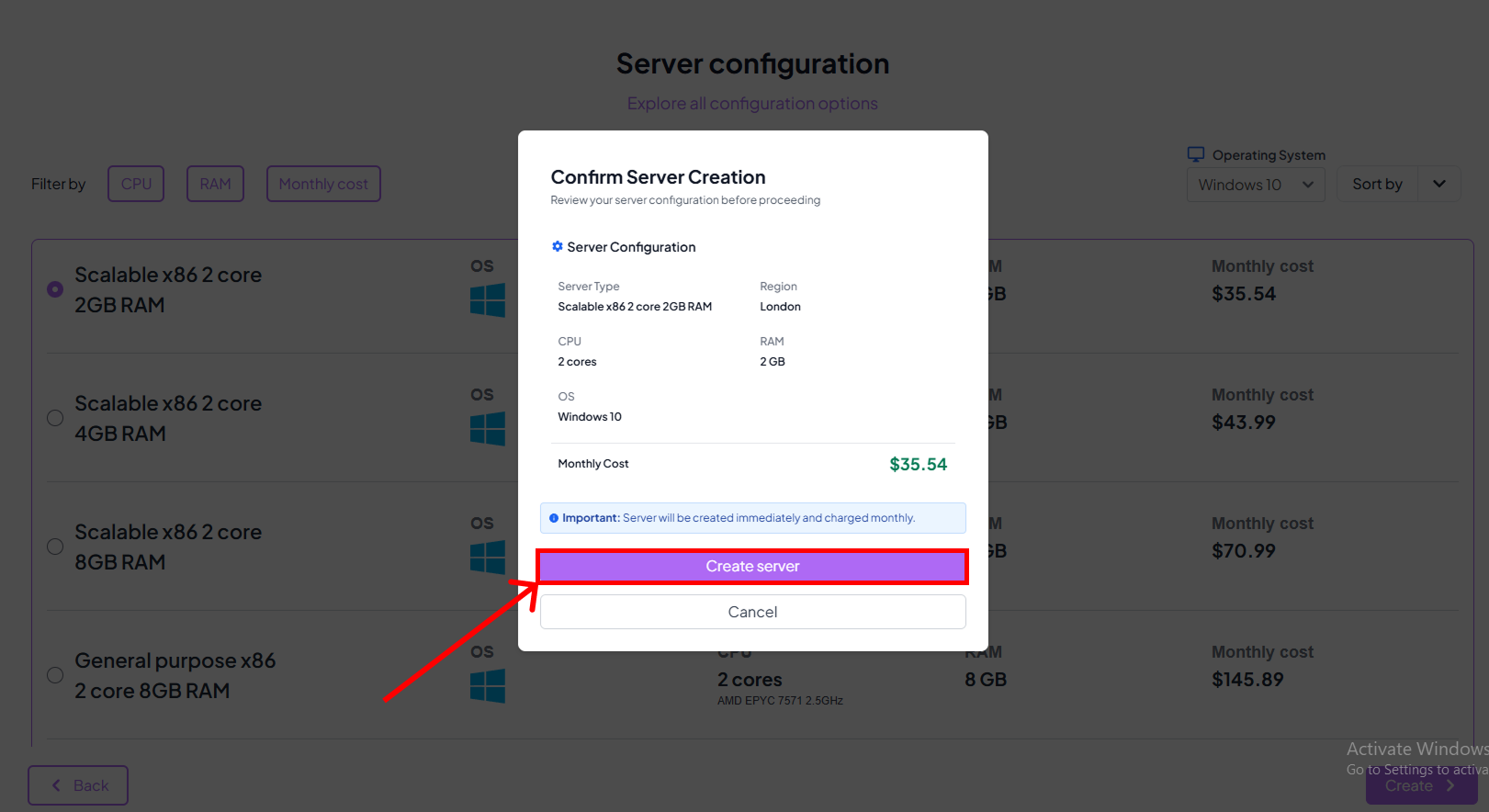
Step 4: Confirm Server Creation
Click Create Server to finalize.
A cost summary will be shown so you know how much you’ll be charged for this feature.

This feature is available for organisations. You can learn more about Billing here.
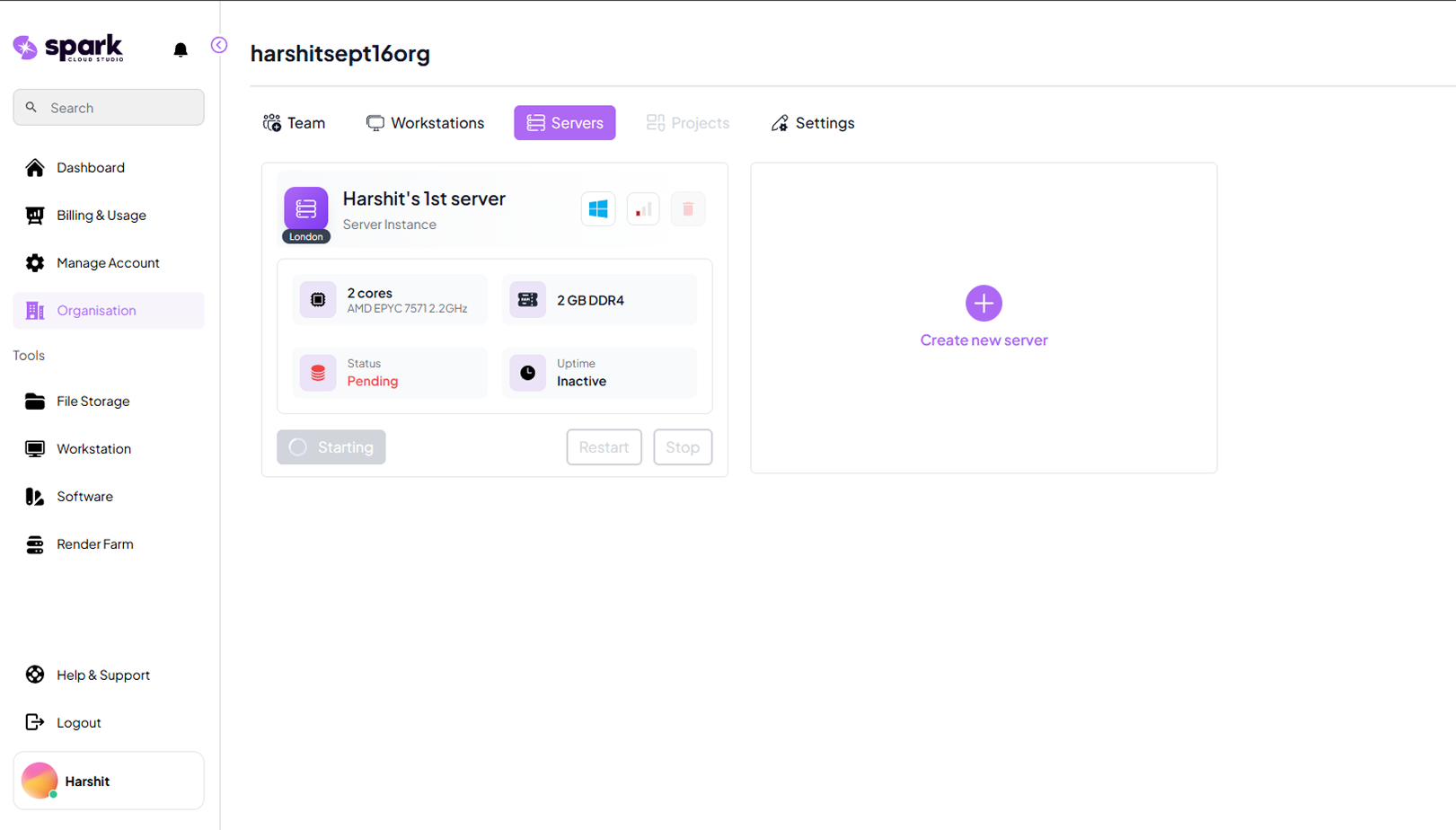
Step 5: Server Status
Once created, your server will appear in the dashboard with an initial status of
Pending.
Notes
PendingThe server is in state of startin for the first time.StoppedThe server is offline and not consuming resources.RunningThe server is active and ready to use.StartingThe server is initializing.