Workstation Usage
Overview
The Workstation Usage panel provides a detailed log of usage sessions, timeframes, and associated charges.
This helps users track and manage costs effectively based on workstation runtime.
Users can view all workstation activities including:
- Date and Duration
- Start and End Time
- Workstation Name
- Status (e.g., active, deleted)
- Cost per Session
Tabs like "All transactions view" and "Workstation view" allow users to toggle between summarized and detailed session logs.
1. All Transactions View
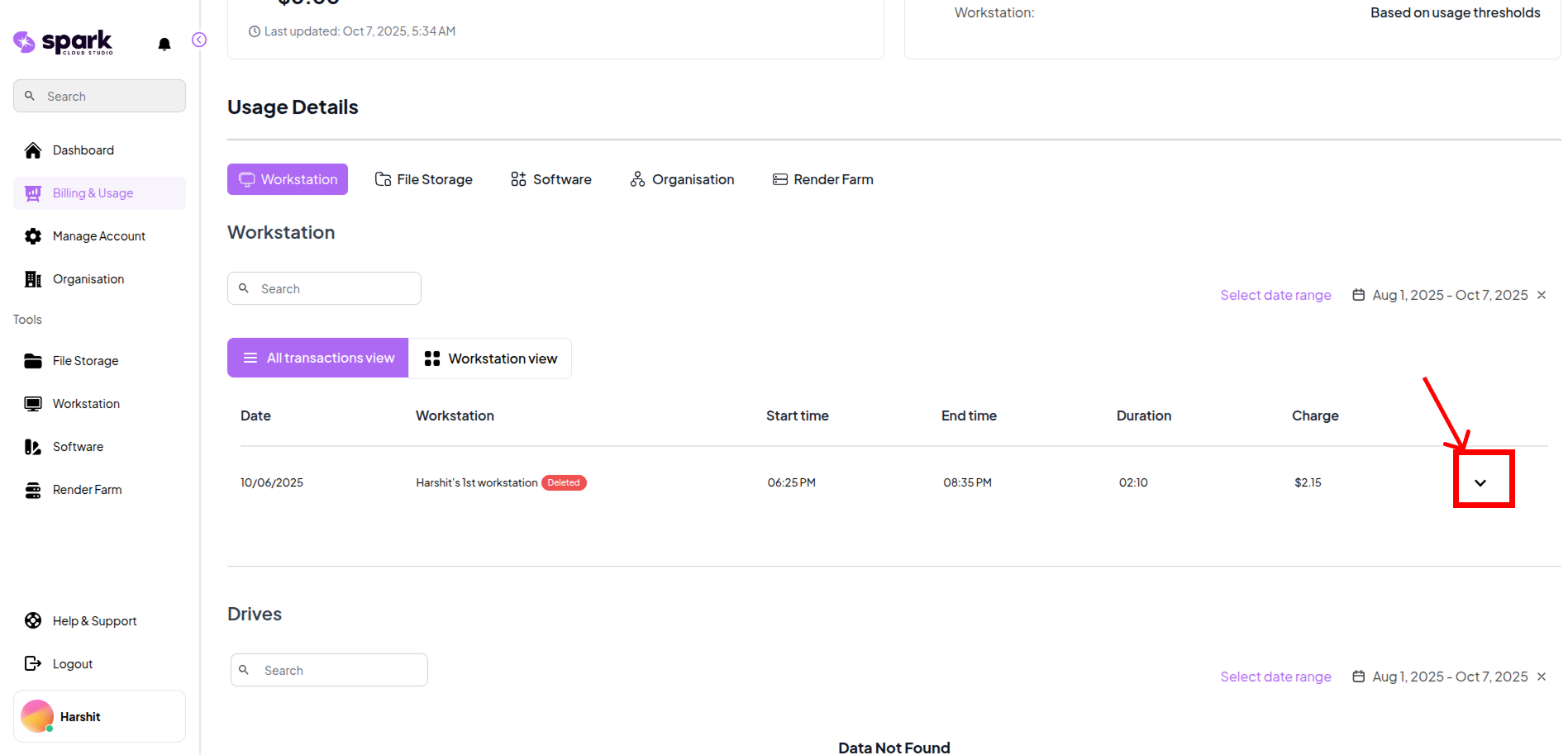
This view lists each individual workstation session, including:
| Column | Description |
|---|---|
| Date | The specific date (or range) when the session occurred |
| Workstation | Name of the workstation used (may show "Deleted" if no longer active) |
| Start Time | Timestamp when the session began |
| End Time | Timestamp when the session ended |
| Duration | Length of the session in hours/minutes |
| Charge | Cost incurred for that specific session |
Click on the dropdown icon next to a workstation entry to view detailed hardware and configuration information for that specific workstation.
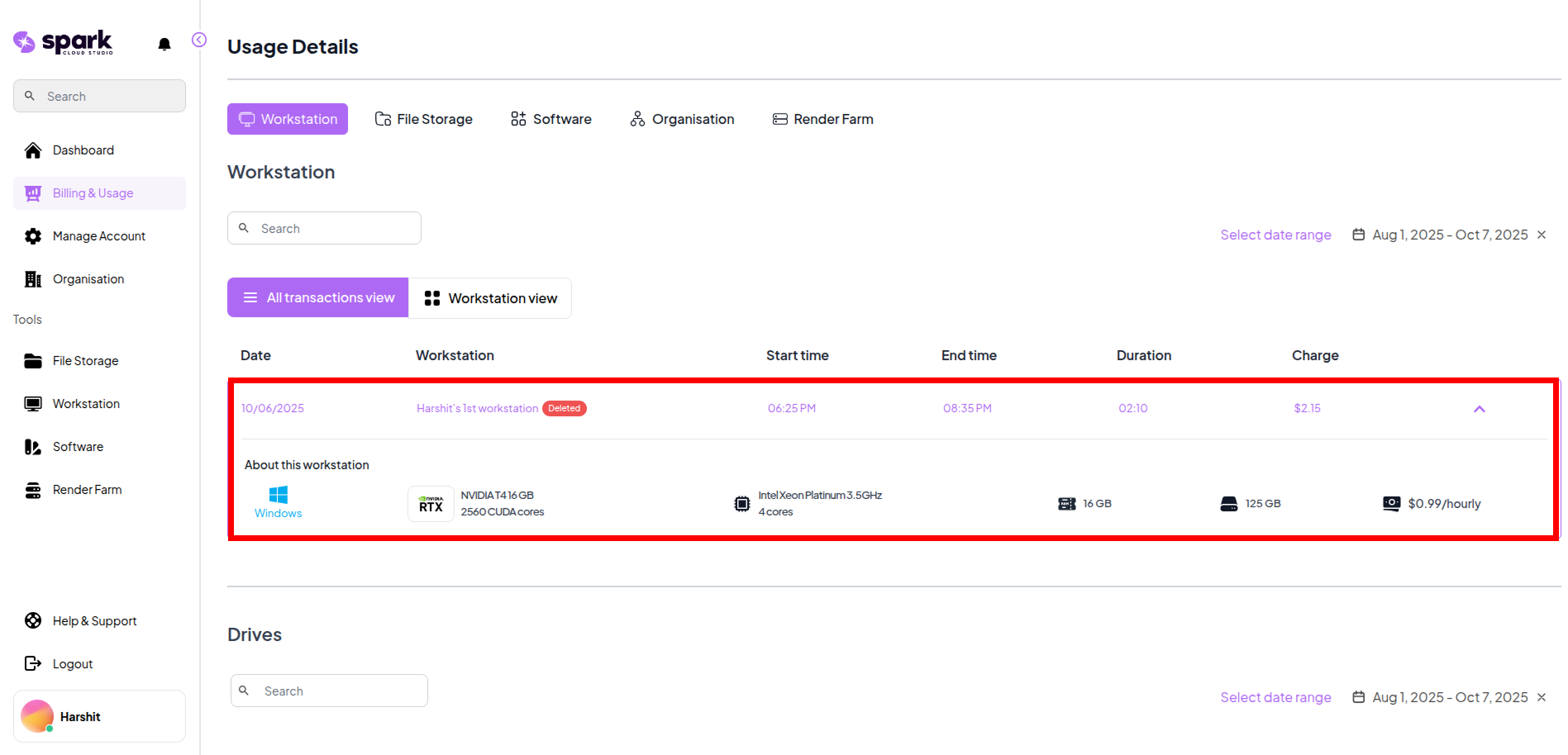
| Field | Description |
|---|---|
| Operating System | OS running on the workstation (e.g., Windows, Ubuntu) |
| GPU | Graphics processing unit details (e.g., RTX A4000) |
| CPU | Processor type and core count (e.g., 8-core Xeon) |
| RAM | Allocated system memory (e.g., 16 GB) |
| Storage | Available disk space (e.g., 200 GB SSD) |
| Charge | Current charge rate based on the workstation specs |
2. Workstation View
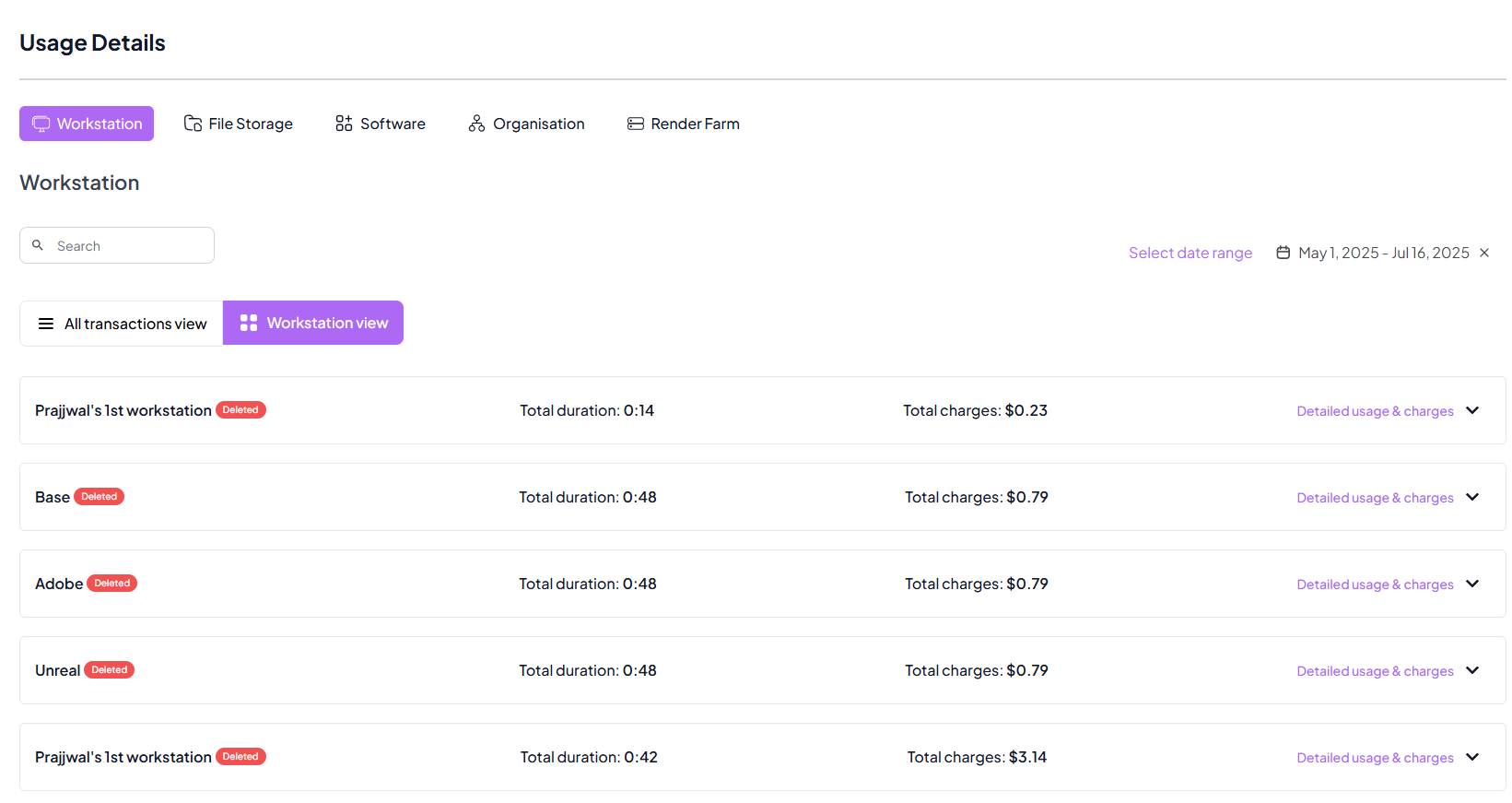
This view groups all sessions by workstation name, providing a high-level summary per machine.
| Field | Description |
|---|---|
| Workstation Name | Label of the virtual machine (e.g., "Adobe", "Base") |
| Status | Shows if the workstation is deleted |
| Total Duration | Combined usage time across all sessions |
| Total Charges | Cumulative cost of all sessions for that workstation |
| Details Dropdown | Expand to see session-level breakdown if needed |
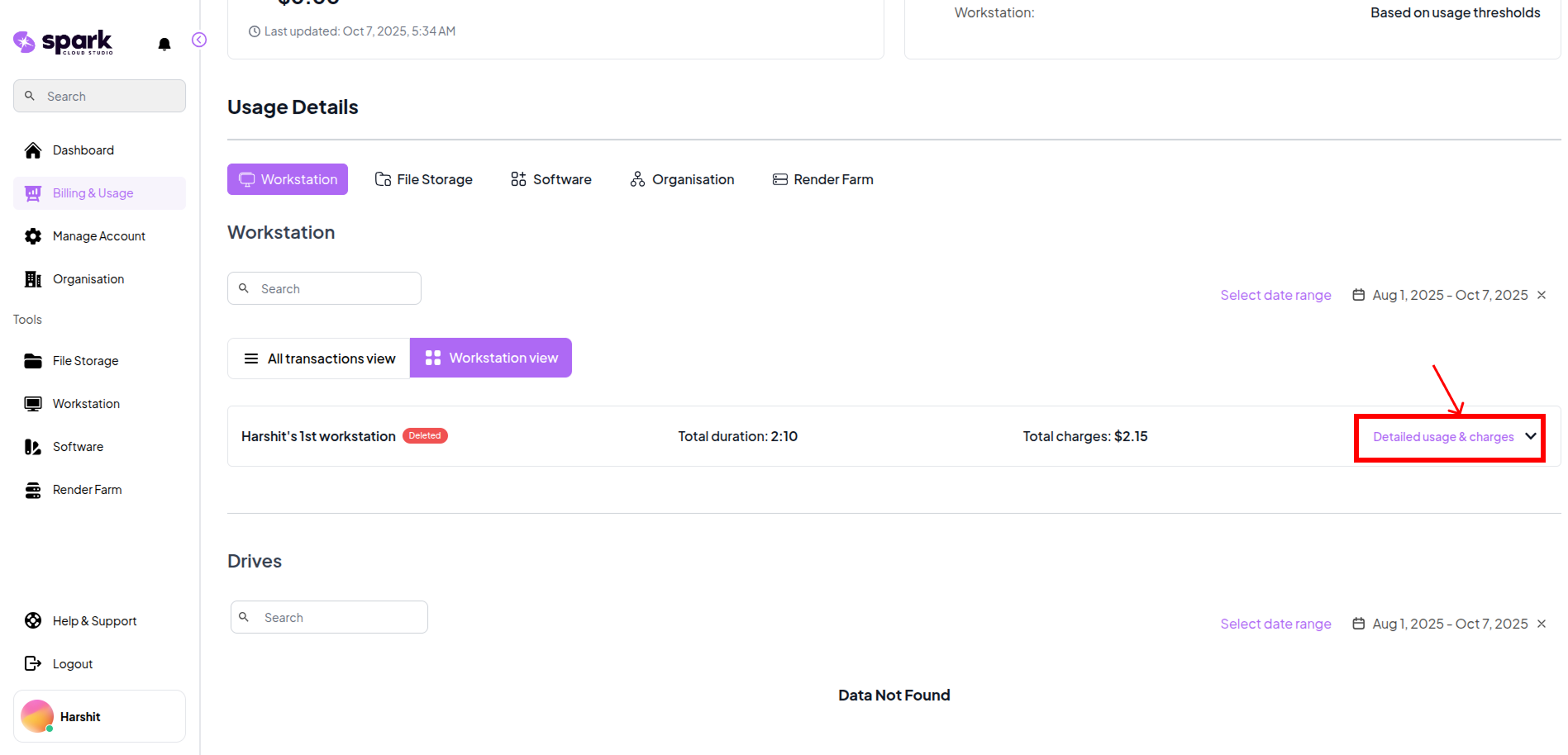
Click on the Detailed Usage&Charges to view a session-level breakdown of usage for each workstation.
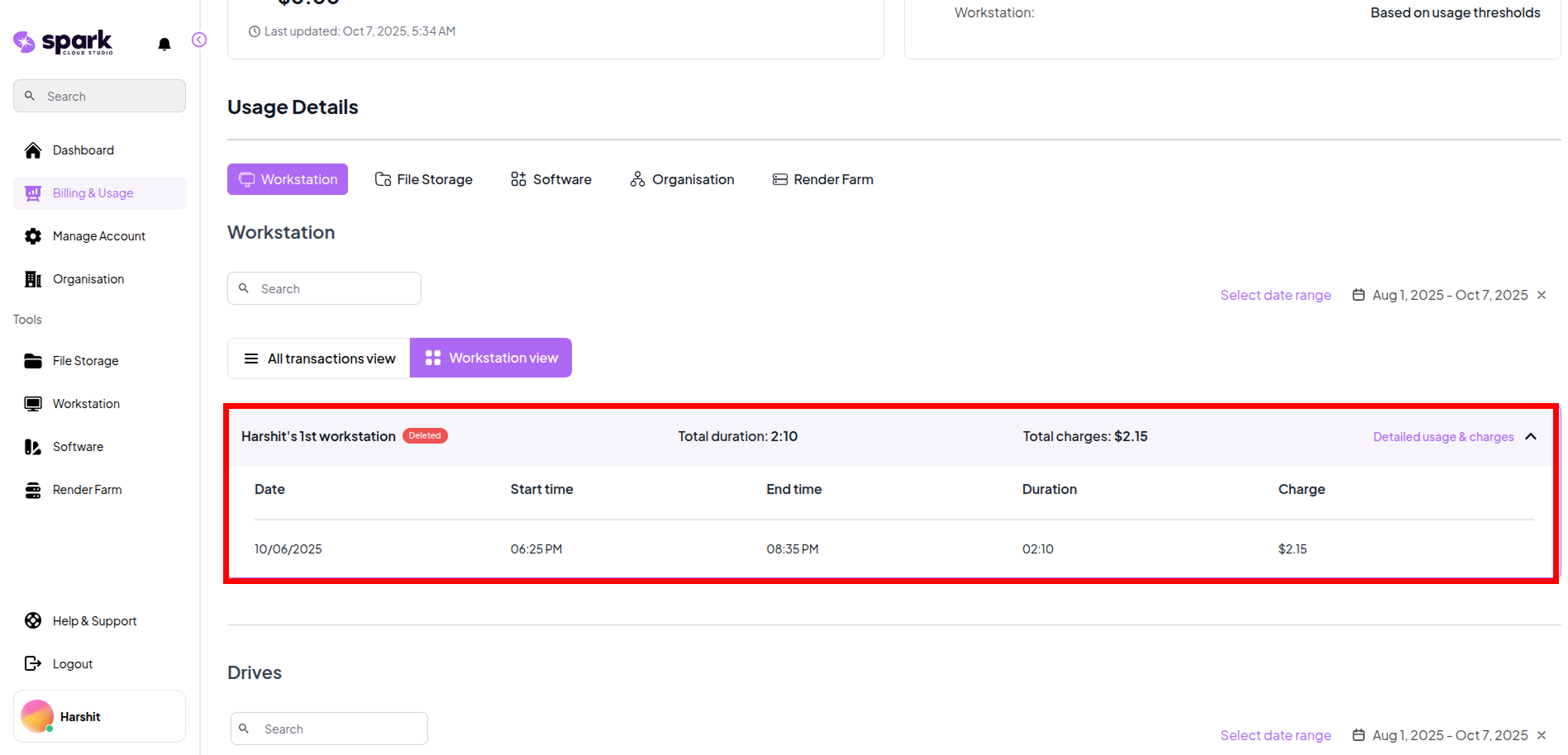
| Field | Description |
|---|---|
| Date | The date when the session took place |
| Start Time | The time when the session began |
| End Time | The time when the session ended |
| Duration | Total time spent in that session |
| Charge | Cost incurred for that specific usage session |