Choosing the Right Region
Selecting the right region is one of the most important steps when setting up your Spark Cloud Studio workstation. Since your entire virtual environment runs remotely, the latency and connection quality will directly affect your experience.
We provide a guided setup with automatic speed testing and region suggestions to ensure you're connected to the optimal data center for the best performance.
How Region Selection Works
During setup, we run a real-time network speed test from your location to all supported global regions. Based on the latency results, we automatically recommend the region with the best performance for you.
We highlight the region with the lowest latency and best connection quality, which is recommended for most users to ensure the smoothest real-time experience.
If needed, you can choose a region manually. For example, you might want to select a specific region if you’re collaborating with a team located elsewhere or testing performance in a particular region.
Each location will display a latency value and a connection category:
- Fast Connection
- Limited Connection
- Poor Connection
Global Region Availability
We offer server regions in key global locations:
- North America – Oregon, California, Virginia, Montréal
- Europe – London, Frankfurt
- Asia – Mumbai, Singapore, Tokyo, Seoul, Jakarta
- Middle East – Dubai, Bahrain
- South America – São Paulo
- Africa – Cape Town
- Oceania – Sydney
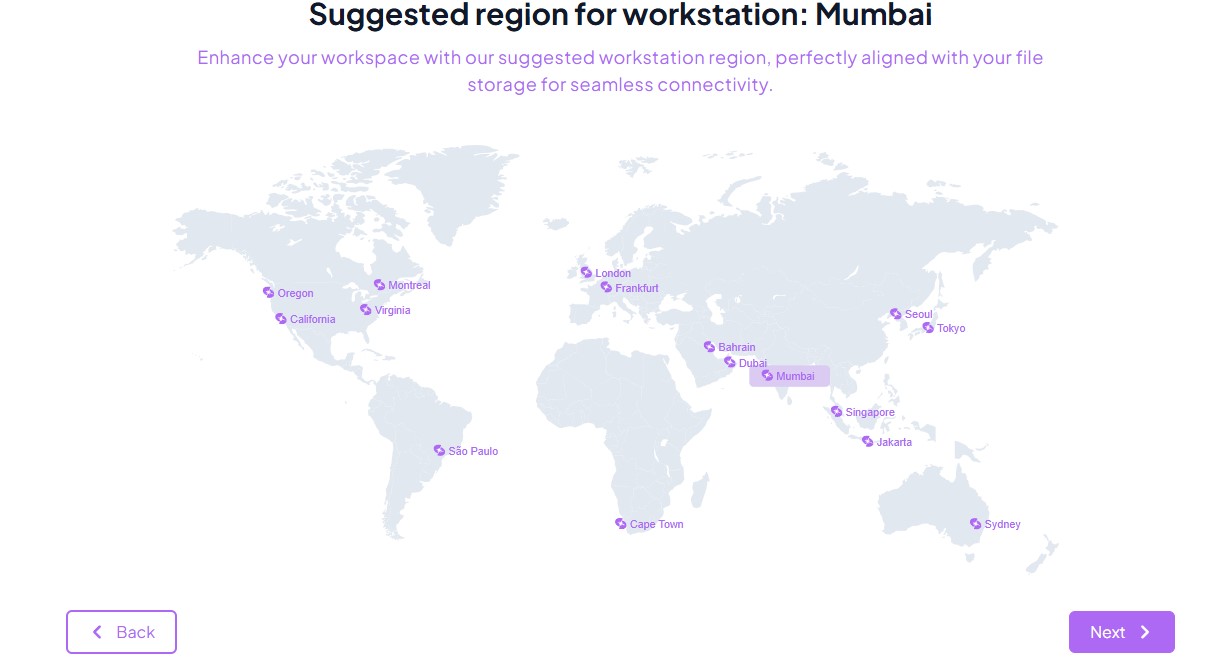
With our extensive network, we ensure strong coverage for users worldwide.
Region Quality Indicators
Each region is labeled with a performance indicator:
| Indicator | Description |
|---|---|
| Fast Connection | Low latency (under 150ms) |
| Limited Connection | Moderate latency |
| Poor Connection | High latency (over 500ms) |
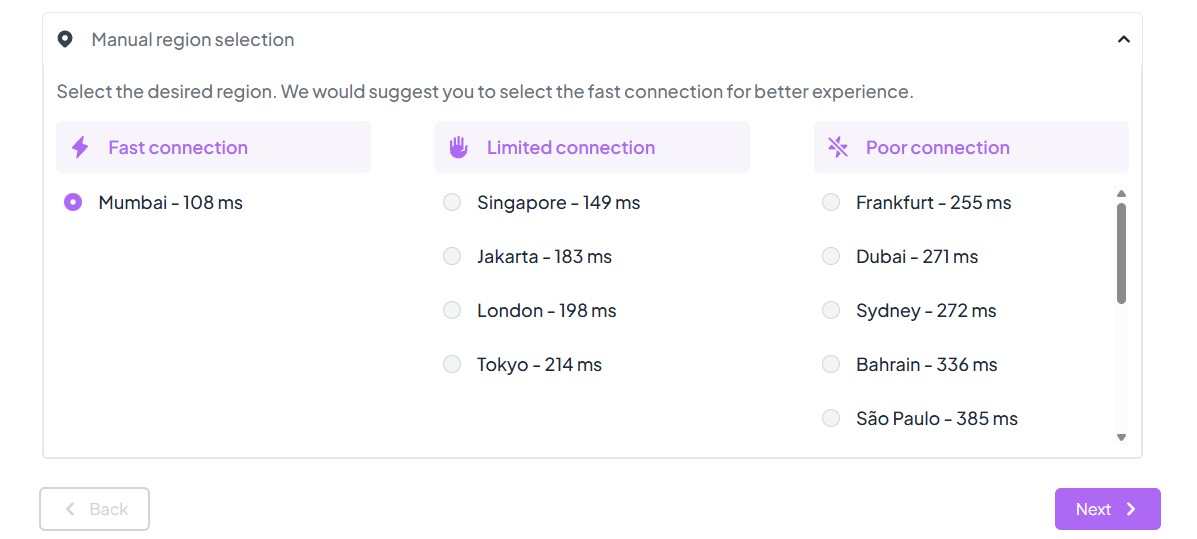
Latency values shown are measured live during the test, not estimates.
Why It Matters
Choosing the right region improves your experience with:
- Low-latency remote streaming
- Smooth mouse + pen input
- Efficient data transfer
Best Practice
Stick to the automatically suggested region unless you have a specific reason to choose differently (such as team location or scheduled batch jobs).
Let Spark handle the connection testing, and if you're unsure, always choose the one marked with Fast Connection for best results.